Guide · 24 October 2026
180 degrees or a flip?
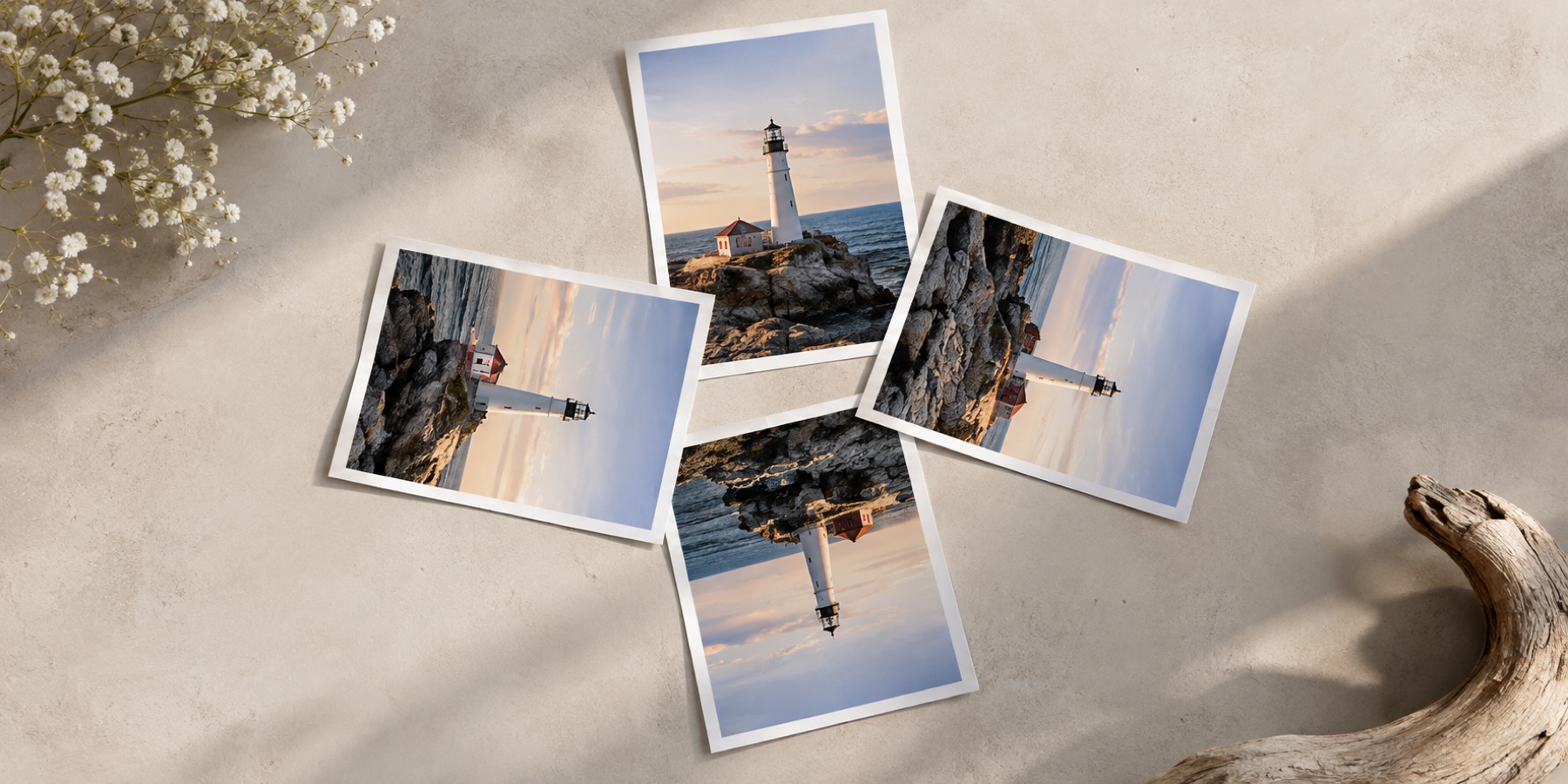
“Upside down” sounds like one thing. Image editors offer two buttons for it — rotate 180° and flip vertical — and on a picture of clouds they give results that look the same. On anything with writing, a face or a known left and right, they are different, and picking the wrong one produces a picture that is subtly or obviously wrong.
A turn keeps handedness; a flip reverses it
A 180° turn spins the picture about its centre. Every part keeps its shape: the letters are still letters, just upside down, and turning the page around makes them readable again. A flip is a reflection across the middle line. It reverses handedness — a right hand becomes a left hand — so letters come out as their mirror images, and no amount of turning undoes that.
| Operation | The top edge | The left edge | Writing | Undone by |
|---|---|---|---|---|
| Turn 180° | goes to the bottom | goes to the right | readable, upside down | turn 180° again |
| Flip top to bottom | goes to the bottom | stays on the left | mirrored — reads backwards | flip again |
| Mirror left to right | stays at the top | goes to the right | mirrored — reads backwards | mirror again |
| Flip and mirror together | goes to the bottom | goes to the right | readable, upside down — the same as a 180° turn | turn 180° |
The last row is the useful surprise: a flip and a mirror together are a 180° turn. Two reflections make a rotation, which is why the eight ways a picture can face are four turns and four turns of the mirror image, and nothing else.
Which one does my picture need?
- A phone held upside down, a page fed into the scanner head first, a camera mounted upside down: turn 180°.
- A reflection in still water you want as the main picture, a transparency scanned face down top to bottom: flip.
- Writing in the picture reads backwards: it was mirrored somewhere. Mirror it back — and check which axis.
- Unsure: look for writing, a clock, a face or a car's steering wheel. Each has a known handedness.
The upside-down page draws both from your own picture, side by side, and opens on the 180° turn. For a JPEG whose dimensions allow it, both are done on the compressed blocks without re-encoding. Inside a camera file, the EXIF orientation field records the same distinction: value 3 is a 180° turn and value 4 is a top-to-bottom flip — see the eight orientation values.