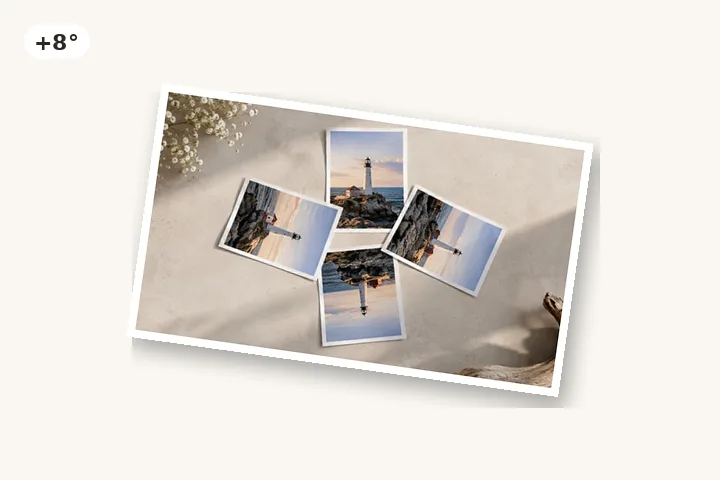
Tilt an imageGive a photo a playful tilt
Add a few degrees of tilt to a photo or logo, with clean, clear corners.
or drop it here — pasting works too
Drop one picture to work on it, or a folder of them to turn the lot by their own tags.
No photo handy?
FreeNo sign-upPhotos stay on your device
A few degrees of deliberate tilt for a slide, a poster or a post — with clear corners, so it sits on any background.
Pick a quick angle or type one. The canvas expands and the corners stay transparent.
Tilt is the opposite of straightening
Straightening removes an angle the camera added by accident. A tilt adds one on purpose: a photo pinned at a jaunty angle on a slide, a product shot leaning into a headline, a sticker on a story. The defaults follow from that. The frame expands, so no corner of the picture is cut off, and the new corners are transparent, so the tilted picture can be dropped onto any background in whatever you are designing.
The output is PNG (or WebP, if you choose it) because those formats keep transparency. If the picture is going somewhere that needs a JPG, give the corners a colour and the JPG option comes back.
Small angles look better than big ones
- 3° reads as casual, hand-placed.
- 8° reads as deliberate but still a lean.
- 15° is about as far as a tilt goes before it starts to look like a mistake or a turn.
- Pairs work well: −3° and +3° on two photos side by side.
For an exact angle you already know, rotate by degrees opens with the angle field ready. For logos and icons where every edge should stay crisp, rotate a PNG or logo offers hard edges.
Questions about this page
Why does my tilted JPG save as a PNG?
Tilting opens four corner wedges, and JPG has no way to store a transparent pixel. So a tilted picture with clear corners is written as PNG, and the page says so before you save. Give the corners a colour under Fill and JPG becomes available again.
Can I tilt it on a white background instead?
Yes. Under Fill, choose Colour and pick white (or any colour). The wedges are filled with it and the file can be a JPG.
Is this the same as tilt-shift?
No. Tilt-shift is a blur effect that makes a scene look like a miniature; it does not turn the picture at all. This page turns the whole picture by an angle.
How far can I tilt it?
Any angle from −180° to 180°. The quick angles stop at 15° because past that a tilt reads as a turn rather than as a lean.
Tilt Image