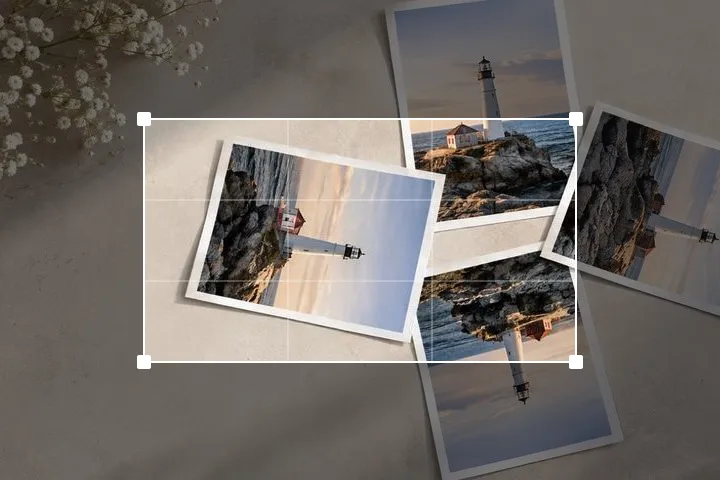
Straighten a photoLevel that crooked horizon
Drag the dial or draw a line along the horizon, and the photo straightens to match.
or drop it here — pasting works too
Drop one picture to work on it, or a folder of them to turn the lot by their own tags.
No photo handy?
FreeNo sign-upPhotos stay on your device
Lay the guide along something that ought to be level, and the picture turns to meet it.
The guide is armed and the horizon grid is on. Drag across the picture along something level, or move either end of the line, then press Level to this line.
Levelling against something, rather than by eye
A tilt is only measurable against a reference. Nudging a slider until a picture stops looking wrong works, and it works badly: the eye compensates for a small rotation within a second or two, so the angle you settle on depends on how long you have been staring. A placed line does not drift. Drag the two ends along a windowsill, a horizon, the top of a door or the water line of a swimming pool, and the tool computes the angle between that line and horizontal and turns the picture by its negation.
The line reports its own angle while you are moving it, which is the part that makes this worth the interface. You are not adjusting until it looks right; you are agreeing that the windowsill is level and letting arithmetic do the rest. The result snaps to a twentieth of a degree, which is finer than any reference in a photograph deserves and coarse enough that the number stops jittering under a thumb.
Where a placed guide stops helping
- Nothing straight in the frame. Foliage, sand, crowds and clouds give the eye nothing to hold and give a guide nothing to sit on. A picture with no straight edge has no defined tilt, only a preference.
- A curved horizon. A wide-angle lens bows straight lines away from the centre. The horizon is genuinely a curve in the frame, so a single rotation can level its middle or its ends and never both.
- A reference that is not level. Old buildings settle, shelves sag, tables are shimmed and the sea has waves in it. Choose the longest reference you are actually confident about.
- A deliberate diagonal. If the strongest line in the frame is a staircase or a road taken on purpose, levelling to it destroys the picture. This tool never applies an angle you did not ask for, which is partly why.
Questions about levelling a picture
Why does straightening crop my photo?
Turn a rectangle by any angle that is not a multiple of 90° and its corners no longer sit on the corners of an upright rectangle. Four triangular gaps open at the edges, and there is no version of the picture that both fills a rectangle and keeps every original pixel. Cropping inward throws away the edge; padding outward keeps everything and leaves the wedges empty. Neither is wrong, which is why both are offered and neither is hidden.
How small an angle is worth correcting?
Below about half a degree most people stop noticing on a phone screen, and on a printed picture the threshold is lower still because a straight architectural line makes any tilt visible. The dial under the picture moves in tenths as it is dragged and finer with Shift held, the bracket keys move in tenths, and the typed field takes hundredths — that last one is there for reproducing an angle you already know, not because a hundredth of a degree is visible.
The guide says one angle and the picture still looks crooked. Why?
Usually because the reference is not level in the world, or because the lens is bending it. A wide-angle lens curves a horizon: the line is straight at the centre of the frame and bows at the edges, so no single rotation levels the whole picture and levelling the middle tips the corners. Rooftops, hedges, tables and the sea in a swell are all commonly not level to begin with. Pick the longest thing in the frame that you are confident about, and prefer a vertical edge in an architectural shot.
Does the preview match what gets saved?
Yes, and deliberately so. The preview is drawn from a copy of the picture no more than about 2,560 pixels on its long edge so the dial stays smooth on a large photograph; the moment you let go of the dial it is redrawn from the full-resolution array, and the save runs the same geometry a third time at full size. There is only one set of numbers and one drawing routine, so there is nothing for the two passes to disagree about.
The longer version of the crop arithmetic, and why a given angle costs what it costs, is in the explainer on orientation and on the main rotation page.


Straighten