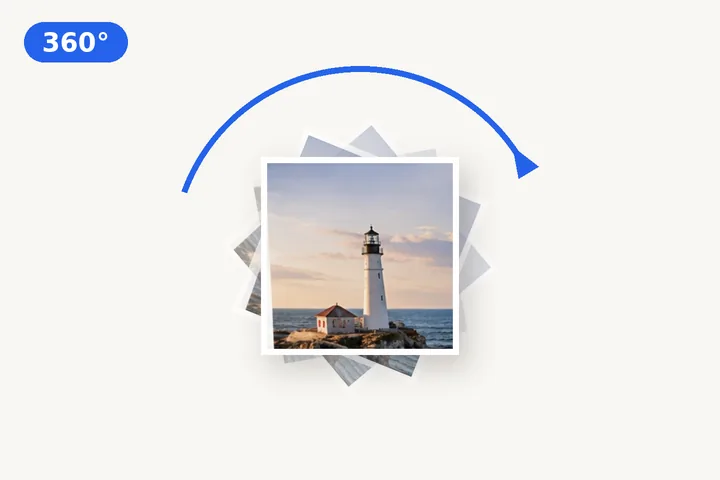
Make a picture spinMake your logo spin
One picture in, a looping spin out — as a GIF or a video.
or drop it here — pasting works too
A logo or a product shot works best — ideally on a transparent background.
No photo handy?
FreeNo sign-upPhotos stay on your device
Turn a logo or a picture into a looping 360° spin: choose the direction, the speed, the number of frames and the background, then save a GIF — or a WebM video where your browser can record one.
How the spin is made
Each frame is your picture drawn at one step of a full turn, on a square canvas centred on the picture. With 36 frames and a two-second turn, each frame is 10° further round and shows for an eighteenth of a second. The frames are written into a GIF by this site’s own encoder, each with its own palette of up to 256 colours, and the file is set to loop forever. A WebM is recorded from the same drawing by your browser’s video encoder, in real time, so it takes as long to make as one turn lasts.
Choosing the settings
- Steady motion suits a loading-style spin; ease in and out makes it pause gently at the top of each turn.
- More frames make the spin smoother and the file larger; 24 to 36 is plenty for a logo.
- A logo on a transparent background spins cleanly in the GIF; a photograph looks best on white or black.
- 240 or 360 px keeps a GIF small enough for a chat or an email signature.
To turn a picture once rather than make it spin, use the main rotation page; to turn every frame of an existing animation, rotate an animated GIF; to keep a logo’s transparency through a fixed turn, rotate a PNG or logo.
Questions about this page
Will the corners be cut off as it spins?
No. The square the animation sits in is as wide as your picture's diagonal — the widest it ever gets while turning — so every corner stays inside the frame at every angle.
Can the background be transparent?
In the GIF, yes. GIF transparency is one bit: each pixel is either fully clear or fully solid, so the soft edge of a logo against a transparent background becomes a crisp one. The WebM video has no transparency, so it uses the background colour, white if you chose transparent.
Why can't I make it faster with more frames?
GIF stores each frame's delay in hundredths of a second, and most viewers slow down any frame shorter than two hundredths to about a tenth of a second. So the page never makes a frame shorter than 0.02 s: a fast spin gets fewer frames rather than a broken speed.
Why is there no animated WebP option?
No web browser can write an animated WebP from a page today, and this page makes everything in your browser. GIF plays everywhere; WebM is offered where this browser's video recorder can make it.
Is the GIF checked after it is written?
Yes. The saved file is read back and its frame count, total duration and loop setting are compared with what you chose; the result is shown under the save button.
Spin Animation